In the bustling digital marketplace, capturing leads isn't just about crafting compelling content or running clever ad campaigns. It's fundamentally about making sure your potential customers can actually find and engage with that content. This is where Technical SEO for Lead Funnel Optimization steps in, acting as the invisible engine that powers your entire lead generation strategy. Without a robust technical foundation, even the most brilliant marketing efforts can fall flat, leaving valuable leads undiscovered and conversions languishing. We're talking about direct impacts: a site that loads in under 2 seconds can triple conversion rates compared to one that takes 5-6 seconds. That's not just a minor tweak; it's a game-changer for your bottom line.
At a Glance: What You'll Learn
- Why Technical SEO is a Game-Changer: Understand its direct, measurable impact on organic visibility, user experience, and ultimately, lead conversions.
- The Core Pillars: Dive into critical areas like site speed, mobile performance, crawlability, schema, and site architecture.
- Actionable Steps for Each Pillar: Get concrete, implementable strategies to optimize your site, complete with tools and best practices.
- Connecting Tech to Leads: See how technical improvements translate into a healthier, more efficient lead funnel at every stage.
- Common Pitfalls to Avoid: Learn from typical mistakes that derail lead generation efforts and how to sidestep them.
- Your Essential Toolkit: Discover the best tools for auditing, monitoring, and maintaining your site's technical health.
- Measuring Success: Identify key performance indicators (KPIs) to track your progress and prove ROI.
The Unseen Engine: Why Technical SEO Matters More Than Ever for Leads
Imagine building a beautiful, state-of-the-art lead magnet, only to place it in a storefront with a broken door and dim lighting. That's essentially what happens when you neglect technical SEO. It's the silent force that dictates how easily search engines can discover, understand, and rank your content, and how effectively human users can interact with it. For lead generation sites, this isn't a "nice-to-have"; it's mission-critical.
Neglecting technical SEO means leaving money on the table. A significant chunk of traffic, often over 60%, originates from smartphones. If your mobile experience is clunky or slow, those leads are simply moving on to a competitor. Fixing fundamental crawlability and indexing issues can unlock a 40-60% increase in traffic within just 2-3 months. More importantly, conversion rate uplifts from dedicated technical improvements typically range from 30-70%. These aren't just vanity metrics; they directly translate into more qualified leads and a healthier sales pipeline. Think of it as tuning a high-performance engine for maximum efficiency and power. When you optimize the technical underpinnings, you're not just improving your SEO; you're significantly enhancing your ability to generate leads with SEO.
Building a Foundation for Conversions: Core Technical SEO Pillars
Let's break down the essential technical SEO areas that directly impact your lead funnel, along with practical steps you can take today.
Blazing Fast Pages: Site Speed & Core Web Vitals Optimization
In a world of instant gratification, patience is a dwindling commodity. A slow website is a conversion killer. Google has made it clear: page experience, particularly Core Web Vitals (CWV), is a ranking factor. More importantly, it's a user experience factor that directly impacts whether a visitor sticks around long enough to become a lead.
The goal? Pages loading in under 2 seconds. Anything above 5-6 seconds can drastically cut your conversion rates. Focus on these key metrics:
- Largest Contentful Paint (LCP): Measures how quickly the main content on your page loads. A slow LCP means visitors are waiting too long to see what matters.
- First Input Delay (FID): Quantifies the time from when a user first interacts with your page (e.g., clicking a button) to when the browser actually responds. A high FID means a janky, unresponsive experience.
- Cumulative Layout Shift (CLS): Measures unexpected layout shifts. Ever tried to click a button, only for the page to jump and you click something else? That's high CLS, and it's frustrating.
Actionable Steps for Speed:
- Declutter Your Platform: If you're on WordPress, bloated themes and an excessive number of plugins (aim for around 10 functional ones) are common culprits. Switch to lightweight themes like GeneratePress or Astra.
- Image Optimization is Non-Negotiable:
- Implement next-generation formats like WebP.
- Compress images without sacrificing quality using plugins like ShortPixel or Imagify.
- Enable lazy loading so images only load when they're about to enter the viewport.
- Turbocharge Your Server:
- Enable server-side caching (e.g., via WP Rocket or your hosting provider) to serve cached versions of your pages faster.
- Integrate a Content Delivery Network (CDN) like Cloudflare to distribute your content closer to your users, reducing load times globally.
- Minify and Defer:
- Minify CSS, JavaScript, and HTML (remove unnecessary characters) using tools like WP Rocket or Autoptimize.
- Implement critical CSS (CSS needed for the above-the-fold content) and defer non-critical JavaScript to load later.
- Prioritize LCP Element: Use PageSpeed Insights or Chrome DevTools to identify your LCP element on key lead generation pages. Optimize its loading and rendering.
Your Mobile Gateway: The Mobile-First Imperative
With over 60% of all traffic now originating from smartphones, a "mobile-first" approach isn't just good practice; it's a survival strategy for lead generation. Google indexes and ranks your mobile version primarily, meaning a poor mobile experience directly translates to lost leads and lower rankings.
Actionable Steps for Mobile Performance:
- Responsive Design is a Must: Ensure your website's design adapts fluidly to any screen size. Verify the
<meta name="viewport" content="width=device-width, initial-scale=1">tag is correctly implemented in your page's<head>. - Test, Test, Test: Thoroughly test all your pages, especially lead capture forms, on various mobile devices and screen sizes. Use Google's Mobile-Friendly Test tool.
- Thumb-Friendly CTAs: Ensure touch targets (buttons, form fields, links) are easily clickable. Google recommends a minimum size of 48x48 pixels or 44x44 pixels with 8px spacing to prevent mis-taps.
- Eliminate Intrusive Interstitials: Avoid large pop-ups or overlays that cover the main content, especially on mobile. These are a major source of user frustration and can lead to penalties.
- Think Local: For businesses with a physical presence, optimize for local SEO. Mobile users often have local intent (e.g., "plumber near me"), so ensure your Google Business Profile is robust and your site is optimized for local searches.
Be Discoverable: Crawlability & Indexability Essentials
Search engines can't rank what they can't find or understand. Crawlability refers to search engines' ability to access your pages, while indexability means they can add those pages to their vast index, making them eligible to appear in search results. If your lead-generating pages aren't indexed, they don't exist in search.
Actionable Steps for Crawlability & Indexability:
- Master
robots.txt: Configure yourrobots.txtfile to guide search engine bots. Allow crawling of all important lead-generating pages (service pages, contact forms, location pages) and block irrelevant, low-value areas (e.g., admin pages, thank you pages if you don't want them indexed). Crucially, avoid blocking CSS or JavaScript files, as Google needs these to render your pages correctly. - Submit a Comprehensive XML Sitemap: Create an XML sitemap that lists all your valuable, lead-generating pages. Submit it via Google Search Console. Ensure your sitemap only includes canonical URLs and excludes thin content or pages you don't want indexed. Keep sitemaps under 50,000 URLs, if possible, and set them to update automatically.
- Slay Those 404s and Soft 404s: Broken links (404 errors) create dead ends for users and search engine bots. Fix them immediately. Also, watch out for "soft 404s"—pages that exist but return a 200 (OK) status code while showing little to no content, confusing search engines.
- HTTP Status Codes Matter: Ensure all your lead capture pages return a proper 200 HTTP status code, indicating they are live and accessible.
- Use Google Search Console's URL Inspection Tool: Regularly validate that your critical lead pages are indexed. If not, request indexing.
- Build a Strong Internal Link Network: Implement robust internal linking. This helps search engines discover your pages, understand their hierarchy, and pass "link equity" (authority) to your key lead generation pages. Use descriptive anchor text that tells both users and bots what the linked page is about. Ensure all your important pages are within 3 clicks of your homepage.
Stand Out in Search: Leveraging Structured Data (Schema Markup)
Schema markup is a specific type of code that you add to your website to help search engines better understand your content. While not a direct ranking factor, it can dramatically increase your click-through rates (CTR) by enabling "rich snippets" in the search results. Imagine your service page showing star ratings, business hours, or FAQs directly in Google's results – that's a powerful magnet for clicks.
Actionable Steps for Schema Markup:
- Define Your Business: Implement
LocalBusinessorOrganizationschema on your contact and location pages. This provides essential details like business name, address, phone number, operating hours, and service areas directly to search engines. - Answer FAQs in SERPs: On service pages or dedicated FAQ sections, use
FAQPageschema. This can display common questions and answers directly in the search results, making your listing more comprehensive and enticing. - Showcase Social Proof: If you have customer reviews, implement
RevieworAggregateRatingschema to display star ratings in the SERPs. This builds trust and credibility before a user even visits your site. - Validate Your Markup: Always use Google's Rich Results Test tool to ensure your structured data is correctly implemented and eligible for rich snippets.
Navigating for Nurturing: Site Architecture & Canonicalization
A well-structured website is like a clearly signposted roadmap for both users and search engines. It makes it easy to find information, understand relationships between pages, and prioritize important content.
Actionable Steps for Site Architecture & Canonicalization:
- Logical URL Structure: Organize your URLs logically. For example,
domain.com/services/specific-service/is clean and descriptive. Avoid long, cryptic URLs with unnecessary parameters. - Prevent Duplicate Content: Duplicate content can confuse search engines about which version to rank, diluting your SEO efforts.
- Unique, Hyperlocal Content: For similar service or location pages (e.g., "Plumber in NYC" vs. "Plumber in Brooklyn"), create genuinely unique, hyperlocal content rather than just copy-pasting. This is crucial; copy-pasting across city pages can lead to de-indexing as doorway pages.
- Canonical Tags: If creating unique content isn't feasible, use canonical tags (
<link rel="canonical" href="[preferred-URL]">) to tell search engines which version is the authoritative one, consolidating ranking signals.
- Funnel Authority with Internal Linking: Design an internal linking strategy that strategically funnels authority to your key conversion pages. Use descriptive anchor text. Every important page should be easily accessible, ideally within three clicks from your homepage.
Trust and Security: HTTPS & Technical Housekeeping
Trust is paramount in lead generation. A secure site is a trustworthy site. Beyond that, continuous technical housekeeping prevents minor issues from snowballing into major problems.
Actionable Steps for Security & Housekeeping:
- Migrate to HTTPS (if you haven't already): Ensure your entire site operates over HTTPS (Hypertext Transfer Protocol Secure). This encrypts data, building user trust and is a confirmed ranking signal. Implement permanent (301) redirects from all HTTP versions to their HTTPS counterparts, and consider enabling HSTS (HTTP Strict Transport Security) for an added layer of security.
- Fix Mixed Content Warnings: These occur when an HTTPS page loads insecure HTTP resources (images, scripts). Monitor Google Search Console for mixed content warnings and resolve them immediately to prevent security warnings in browsers.
- Manage URL Parameters: Ensure URL parameters (e.g.,
?id=123,?source=ad) don't inadvertently create duplicate content issues. Use Google Search Console's URL Parameter tool if necessary, or canonical tags. - Monitor Server Error Logs: Regularly check your server error logs for 500-series errors (server-side errors). These indicate serious issues that prevent users and bots from accessing your site.
- Sitemap Hygiene: Keep your XML sitemaps clean, under 50,000 URLs, and include only canonical versions of your pages. Set them to update automatically.
Connecting Technical SEO to Your Lead Funnel Strategy
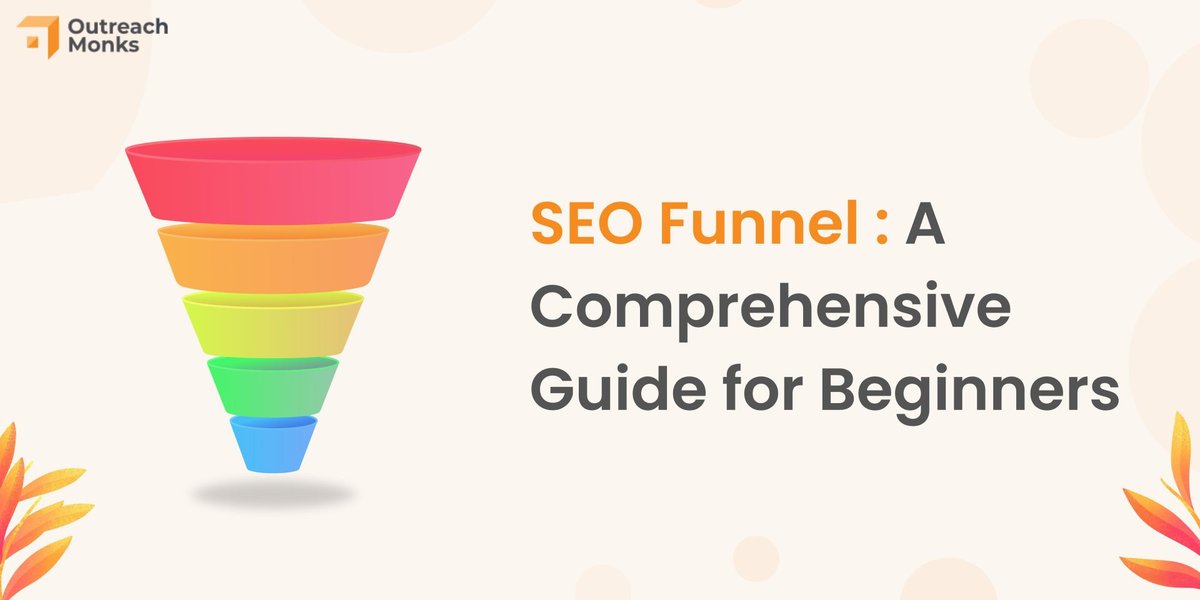
Technical SEO isn't just a backend task; it's intricately woven into the fabric of your lead generation funnel. Each technical pillar supports different stages, ensuring a seamless journey from awareness to conversion.
- Top of Funnel (Attraction): Strong crawlability, indexability, and relevant structured data mean your informative blog posts, guides, and initial touchpoints are visible in search. Fast loading speeds ensure users don't bounce before they even consume your content. Mobile optimization is key here, as many initial searches happen on smartphones. This foundational visibility is crucial for unlocking organic growth and maximizing conversions.
- Middle of Funnel (Convincing): As users delve deeper, seeking solutions and evaluating options, a clean site architecture guides them effortlessly to detailed service pages, case studies, and comparison guides. Schema markup displaying reviews or FAQs can build trust and authority directly in search results, nudging them closer to your brand.
- Bottom of Funnel (Conversion): When a user is ready to convert—fill out a form, make a call, or request a demo—site speed, mobile usability (especially touch targets on forms), and HTTPS security become paramount. Any friction here, like a slow form load or a security warning, can cause immediate abandonment. Technical SEO ensures the path to conversion is clear, fast, and trustworthy.
To truly optimize for lead generation, remember to: - Understand Your Target Audience: Be hyper-specific. Knowing exactly who you're trying to reach allows you to identify long-tail keywords that attract precise, high-intent leads.
- Develop High-Quality Content: Create content that directly addresses specific pain points and aligns with search intent at every funnel stage.
- Build Seamless Conversion Forms: Keep forms short, clearly labeled, and extensively tested on all devices.
- Strategic CTAs: Place clear, compelling Calls to Action at opportune moments within your content.
Common Technical SEO Traps to Avoid (and How to Dodge Them)
Even seasoned marketers can stumble into technical SEO pitfalls. Being aware of these common mistakes can save you significant time and lost leads.
- Slow WordPress Themes & Plugin Bloat: The allure of feature-rich WordPress themes is strong, but many are notoriously heavy, adding 3-4 seconds to load times. Couple that with dozens of unnecessary plugins, and you've got a recipe for slow performance. Dodge it: Choose lightweight themes, audit your plugins regularly, and remove anything non-essential.
- Duplicate Location/Service Pages: A common tactic for businesses with multiple service areas is to create a page for each city by simply changing the city name. This is a surefire way to get penalized for doorway pages or have your content de-indexed. Dodge it: Create genuinely unique, hyperlocal content for each location or service page, emphasizing unique benefits, testimonials, and local details. If true uniqueness isn't possible, use canonical tags to consolidate authority.
- Missing Schema Markup Where Competitors Have It: If your rivals are showing up with star ratings, FAQs, or business details directly in the SERPs, they're likely stealing clicks, even if you rank higher. Dodge it: Prioritize implementing relevant schema markup, especially for LocalBusiness, FAQPage, and Review/AggregateRating, and validate it using Google's Rich Results Test.
- Accidental
noindexMistakes: It's alarmingly easy to accidentally apply anoindextag to critical lead-generating pages, entire website sections, or even your whole site via a misconfigured plugin or theme setting. This tells search engines to completely ignore those pages. Dodge it: Regularly check Google Search Console's "Index Coverage" report for errors and use the URL Inspection tool. Double-checkrobots.txtand metarobotstags, especially after site migrations or updates.
Your Technical SEO Toolkit: Essential Resources & Auditing
To truly master technical SEO for lead generation, you need the right tools and a structured approach to auditing.
Essential Tools for Ongoing Management:
- Google Search Console (GSC): Your primary interface with Google's index. Essential for monitoring indexing status, Core Web Vitals, mobile usability, security issues, and receiving critical alerts.
- Page Speed Testing Tools:
- Google PageSpeed Insights: Provides detailed reports on CWV metrics and actionable recommendations for improvement.
- GTmetrix & WebPageTest: Offer more in-depth waterfall charts and advanced performance metrics.
- Crawl Analysis Tools:
- Screaming Frog SEO Spider: A desktop program that crawls your site like a search engine bot, identifying broken links, redirects, missing titles, duplicate content, and more.
- Sitebulb: Offers similar crawling capabilities with more visual reports and prioritization insights.
- Free Audit Tools (Built-in or Browser Extensions):
- Chrome DevTools: (Accessed via F12) Powerful for on-page analysis, performance testing (Lighthouse audit), and identifying mixed content.
- Google's Mobile-Friendly Test: Quick check for mobile responsiveness.
- Schema Markup Validator / Google's Rich Results Test: Ensures your structured data is correct.
- Core Web Vitals Chrome Extension / Lighthouse: Real-time CWV monitoring.
- Monitoring & Analytics:
- Google Analytics 4 (GA4): For tracking organic traffic, user behavior, and critically, conversion events (form submissions, calls).
- Uptime Monitoring Services: Tools like UptimeRobot alert you if your site goes down, preventing extended periods of lost leads.
Running a Full Technical SEO Audit: A Step-by-Step Approach
A thorough audit isn't just about finding problems; it's about connecting technical issues to business impact.
- Pre-Audit Benchmarks: Before you touch anything, document your current state. Record organic traffic, organic conversion rates, page speed scores, and Core Web Vitals (LCP, FID, CLS) for key lead pages. This gives you a baseline to measure against.
- The 30-Point Site Crawl & Manual Review:
- Crawl Your Site: Use Screaming Frog or Sitebulb to crawl your entire website.
- Identify Status Codes: Look for 4xx (client errors like 404s), 5xx (server errors), and redirect chains (301, 302).
- Audit Titles & Meta Descriptions: Check for missing, duplicate, or overly long/short elements.
- Review Content: Identify duplicate content, thin content, and pages with low word counts.
- Verify
robots.txt& XML Sitemaps: Ensure they are correctly configured and submitted. - Test Mobile Responsiveness: Use tools and manual checks on various devices.
- Analyze Page Speed: Run pages through PageSpeed Insights, GTmetrix.
- Review Schema Markup: Check for implementation and errors using Google's Rich Results Test.
- Examine Internal Linking: Identify orphaned pages (no internal links), broken links, and opportunities to strengthen link equity to conversion pages.
- Assess HTTPS Implementation: Look for mixed content warnings and proper 301 redirects.
- Prioritization Matrix: Impact vs. Effort: You'll find a lot of issues. Don't try to fix everything at once. Create a matrix: plot each identified issue by its potential impact on leads/conversions and the effort required to fix it. Prioritize "quick wins" (high impact, low effort) first.
- Document Findings & Business Impact: Create a clear, concise executive summary. Crucially, don't just list technical problems. Translate them into business language. Instead of "23 service pages have duplicate meta descriptions," say, "23 service pages are not compelling searchers to click, costing approximately 150 potential leads monthly due to poor organic visibility." This frames technical SEO in terms that resonate with stakeholders.
Measuring What Matters: KPIs for Technical SEO Lead Generation
Measuring the success of your technical SEO efforts is crucial for demonstrating ROI and guiding future strategies. Focus on metrics that directly connect to your lead funnel.
- Organic Sessions to Lead Pages: How many users are finding your key lead capture pages (e.g., contact form, request a quote, service pages with CTAs) via organic search?
- SEO Leads: The ultimate metric. Track the actual number of form submissions, calls, or chat engagements originating from organic search.
- Organic Conversion Tracking: Set up conversion goals in GA4 for form submissions, phone calls, or critical micro-conversions.
- Form Submission Rate by Traffic Source: Compare conversion rates from organic traffic to other channels to see where technical SEO truly shines.
- Cost Per Lead (CPL) for SEO: While SEO has long-term benefits, calculating your SEO investment against the volume of organic leads can help contextualize its value.
- Lead Quality Scores: Work with your sales team to assess the quality of organic leads. Are they converting into customers? This ensures you're attracting the right leads, not just more leads.
- Core Web Vitals Scores: Monitor LCP, FID, and CLS for improvements. Better CWV should correlate with lower bounce rates and higher engagement on lead pages.
The Journey Continues: Maintaining Your Technical Edge
Technical SEO isn't a "set it and forget it" task. The digital landscape, algorithms, and your website itself are constantly evolving. Continuous improvement is key to sustaining and growing your lead generation efforts.
- Monthly Technical Check-ups:
- Run crawl reports to identify new 4xx/5xx errors, redirect issues, or unintentional
noindextags. - Monitor Core Web Vitals performance in GSC and PageSpeed Insights.
- Audit new content for technical compliance (e.g., proper internal linking, optimized images, schema).
- Review server logs for anomalies.
- Check for problematic plugin or theme updates.
- Quarterly Reviews: Combine technical health assessments with content performance reviews. Are certain content clusters underperforming due to technical issues? Are new lead pages meeting technical standards?
- Stay Updated: Google's algorithms are always changing. Keep an eye on industry news and algorithm updates that might impact your technical strategy.
- A/B Test: Once you've implemented technical fixes, don't stop there. A/B test different elements on your optimized pages—CTA placements, form field variations, content layouts—to continuously refine the user experience and conversion path.
Technical SEO for lead funnel optimization is about building a fast, accessible, and trustworthy digital experience that actively guides potential customers towards conversion. By investing in these foundational elements, you're not just playing by Google's rules; you're creating a superior experience that your future leads will thank you for. Start with an audit, prioritize your fixes, and commit to continuous improvement. The payoff in organic leads and boosted conversions will speak for itself.